
Project: Game of Life
This project focuses on the parallel simulation of the game of life, invented by J. Conway in 1970, which consists of a set of rules that drive the evolution of a cellular automaton. This simulation will be carried out using the EASYPAP environment, in which a sequential version of the simulation is provided.
Game of Life description
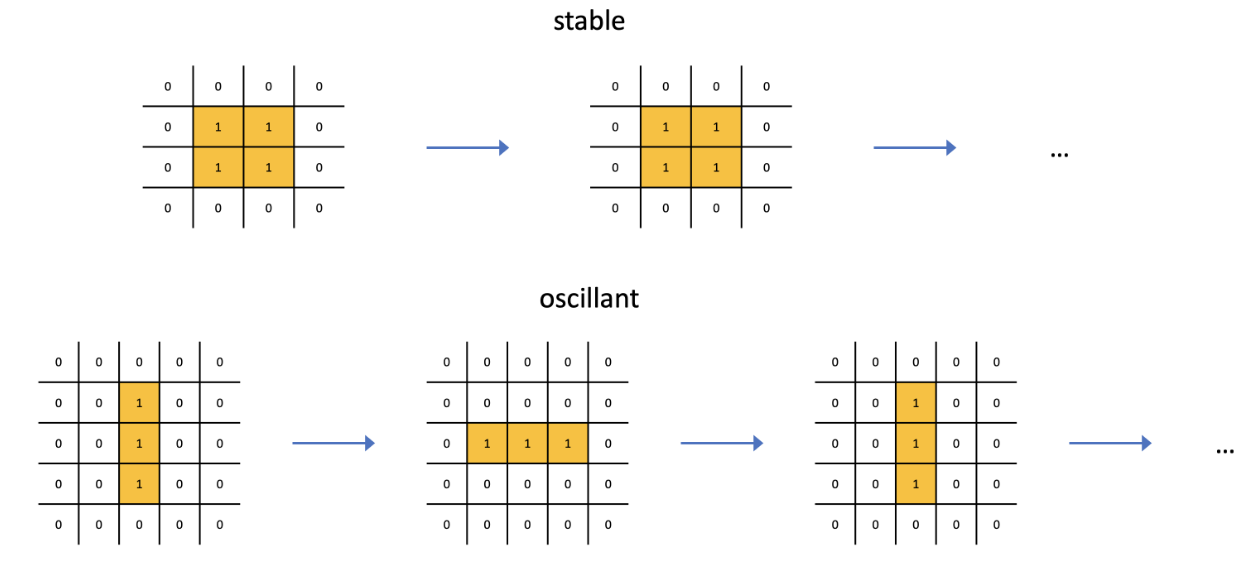
The Game of Life simulates a very basic form of cell evolution, based on two simple principles: in order to live, you need neighbors; but when there are too many, you suffocate. The world here is modeled by a large checkerboard of living and dead cells, each surrounded by eight neighbors. To make the world evolve, time is divided into discrete stages and, to move from one stage to the next, for each cell, we count the number of living cells among its eight neighbors, and then we apply the the following rules:
- A dead cell becomes alive if it has exactly 3 living neighboring cells – otherwise it remains dead.
- A living cell remains alive if it is surrounded by 2 or 3 living cells – otherwise it dies.
The simulation is synchronous: at each step, the state of a cell depends only on the states of its neighbors at the previous step.
The following Figure illustrates how these rules work on very simple configurations. An overview of the game of life in EASYPAP is presented in this slideshow.
Introduction
General guidelines
This project must be done by group of two students.
You must use the Teaching Gitlab platform of Télécom SudParis (https://gitlabense.imtbs-tsp.eu/) to develop the project.
Your report, in the form of a PDF file, must contain the main parts of your code, the justification for any optimizations, the experimental conditions and the graphs obtained, each described and analyzed. Place your report directly at the root of the of the csc5001-easypap-se folder.
Performance of your experiments must be done on the starfighter cluster, in order to be reproducible by your teachers.
Cloning the git repository
- Fork the CSC5001-EasyPap-SE project. This project will be the baseline code of your project.
- Promote Elisabeth Brunet and François Trahay as Developers. This will allow your teachers an easy access to your sources, your report and, incidentally to check the reasonable distribution of work between the members of the group.
- Once your project initiated, send a mail to Elisabeth Brunet indicating your names and the URL of your repository.
Compiling and testing
Connect to the cluster frontend and clone your git repository.
You can then create a subdirectory named build (eg. cd csc5001-easypap-se; mkdir build). This directory will contain all the files generated when compiling EASYPAP.
The libraries required by EASYPAP (eg. MPI, CUDA, etc.) are only available on the compute nodes of the starfighter cluster. Thus, we need to submit a Slurm job for compiling:
If the cmake command succeeded, you can compile easypap:
The compilation should have generated the run program. To check if your installation is complete, run the following command:
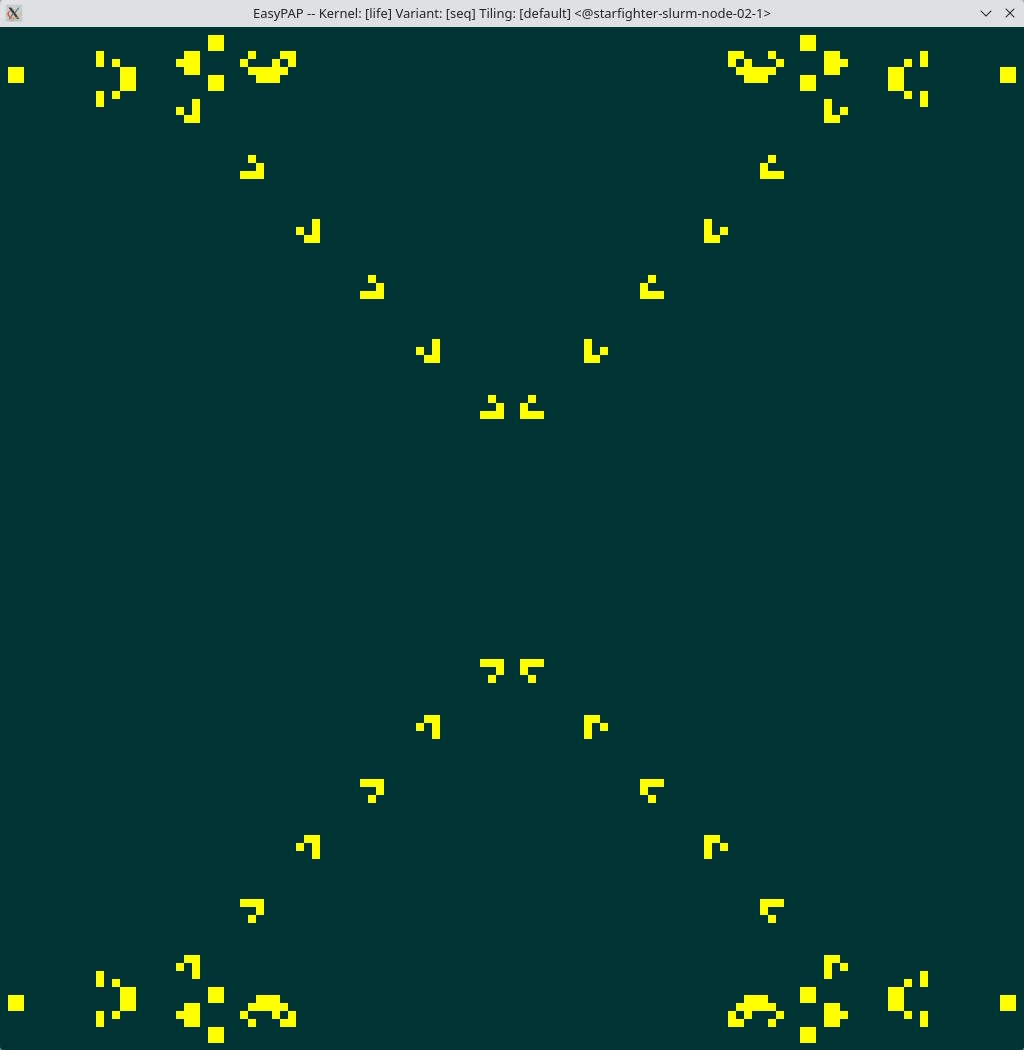
A window should appear and display the evolution of cells:
Objectives of the project
The aim of this project is to simulate the game of life as quickly as possible using parallel hardware capabilities.
Basic OpenMP version
The first version of your parallelization of the game of life is done thanks to OpenMP.
To parallelize with OpenMP, edit kernel/c/life.c and create a new function unsigned life_compute_openmp (unsigned nb_iter) inspired by function life_compute_tiled. Once the function is implemented, compile EASYPAP and run this function with:
Optimized OpenMP implementations
While it’s fairly straightforward to get this first basic operational OpenMP version, optimize it by exploring different tile sizes (or even shapes), different different block distribution strategies, etc.
For this purpose, you can take advantage of the execution traces which EASYPAP can generate, and which EASYVIEW allows you to observe (see section 3.2 “Post-mortem trace analysis” of the documentation).
For your experiments, you can start with the default configuration (4 launchers propelling sliders towards the center), choosing the size you want. Here’s an example (skipping the full list of srun options):
Later, you can experiment with bigger configurations:
Up to the terrible:
Note that the -r parameter (refresh rate) is optional and is only used to avoid slowing down the simulation too much with the display.
In this first part, it aims to implement a clean basic OpenMP version.
Optimizations
Now, let’s introduce optimizations into the code.
In particular, you can explore the following strategies:
Lazy evaluation: Noting that certain regions of the domain remain stable (i.e. no cells change state) for several iterations, it’s possible to implement a lazy strategy that doesn’t compute tiles for which we’re sure their contents can’t change in the next iteration.
Vectorization and memory footprint: As it is not necessary to use 32-bit cells to manipulate booleans, modify the code in order to use only one byte (char) per cell and to use explicit vectorization operations (intrinsics) to manipulate vectors of 32-cell vectors in AVX2, for example.
MPI version
Running an MPI variant of an EASYPAP kernel with Slurm is a bit tricky. You basically need to tell EASYPAP to execute a srun command:
In order to compute a huge configuration, implement a distributed version by using MPI, taking care to exchange ony required data.
Remembering the lazy evaluation, consider to set up a work stealing strategy in order to en- hance the load balancing of the computation.
Experimentation and analysis work
It is essential to check that your code is correct before any experimentation and analysis. To do this, you need to generate reference images once and for all, using the sequential variant supplied.
Then, compare for each variant to thoses reference images (using the diff command). We advise you to use as references configurations obtained from otca_off after 500, 1000 and 50000 iterations. It may also be useful to have very small configurations (64 × 64).
Your report will demonstrate the value of the optimizations made to your successive variants. Don’t forget to compare the different strategies you’ve tried. Finally, you’ll need to produce and analyze experiments showing the acceleration obtained as a function of the number of threads used compared with the sequential version.
For final experiments, use 960, 1920 and 3840 cases with 8000 iterations.
About generic functions
In EASYPAP, some functions are called generically.
When calling
EASYPAP seeks to use those functions declared as kernel_fun_version() or, if not, kernel_fun().
Here are the functions concerned:
- kernel_init_version() to allocate data structures;
- kernel_ft_version() to apply a first touch data placement strategy;
- kernel_draw_config() to apply an initial configuration;
- kernel_compute_version() to calculate a given number of iterations;
- kernel_refresh_img_version() to create an image from a configuration;
- kernel_finalize_version() to free dynamically allocated data.
The use of these functions is presented in the section 6.1-Initialization Hooks of the EASYPAP documentation.